Later
Plan for later, not never
Structured time buckets that resurface on their own.
How later works
Not everything is for today, and that is the point. Later gives every deferred item a home in a structured bucket, then quietly brings anything back once its window has passed, so nothing disappears into a someday void.
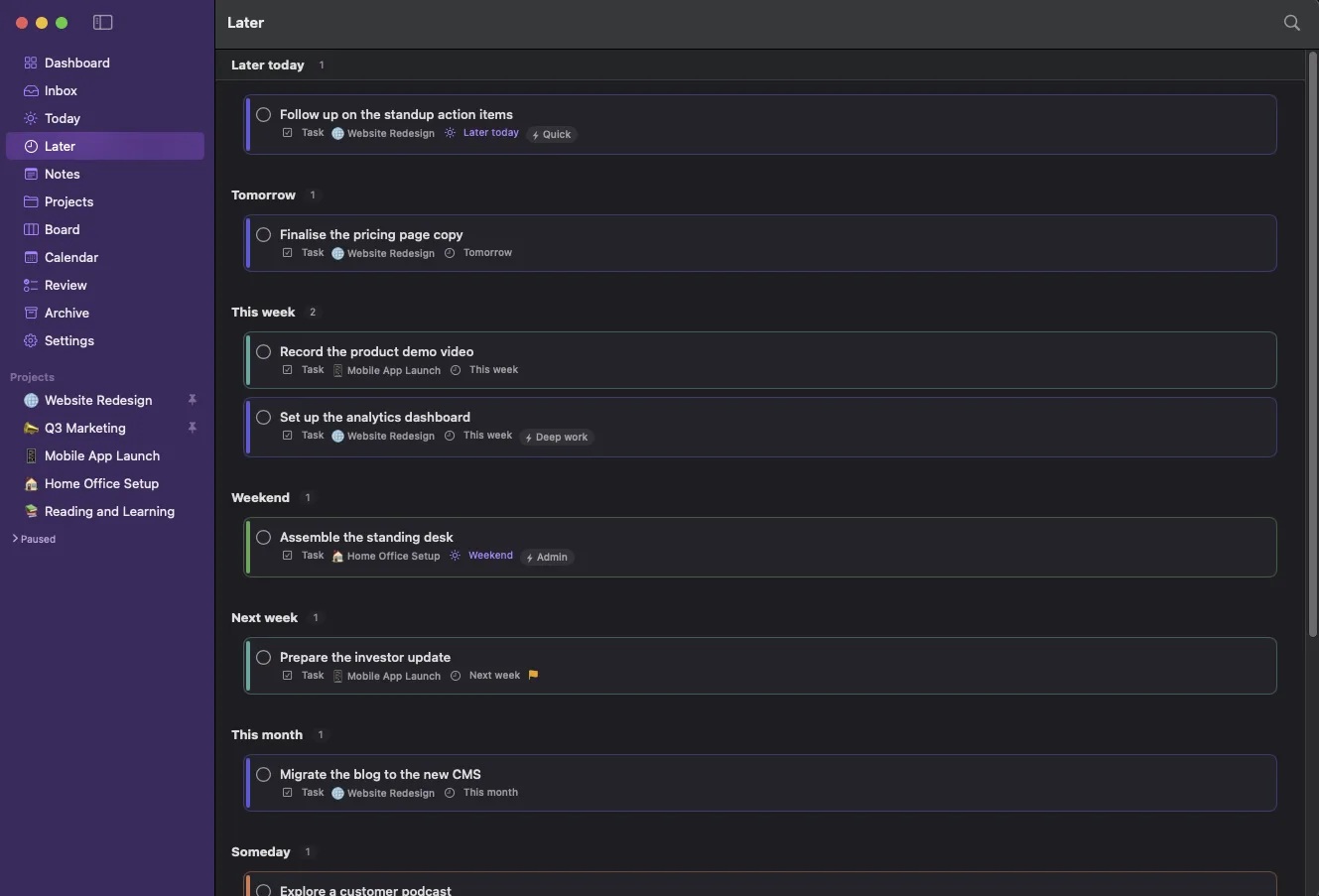
Ten buckets
From Later Today to Someday, plus Waiting and Review later.
Nothing rots
Expired windows surface in a Needs re-timing section for a fresh call.
Drag to re-time
Drop a card on a new bucket and its timing re-anchors instantly.
Part of one connected loop
Plan for later, not never is one step in how LaterLoom works: capture, triage, organise, resurface, review. Explore how the rest fits together.
Bring order to a busy mind
Park work in buckets like tomorrow, this week or someday. When a window expires, the item resurfaces for a fresh decision instead of rotting.
Download on the Mac App Store