Boards
See status on a board
Drag work across a clear Kanban flow.
To Do
Pricing page copy
Analytics setup
Doing
Homepage wireframes
Done
Release notes
Nav bug fix
How boards works
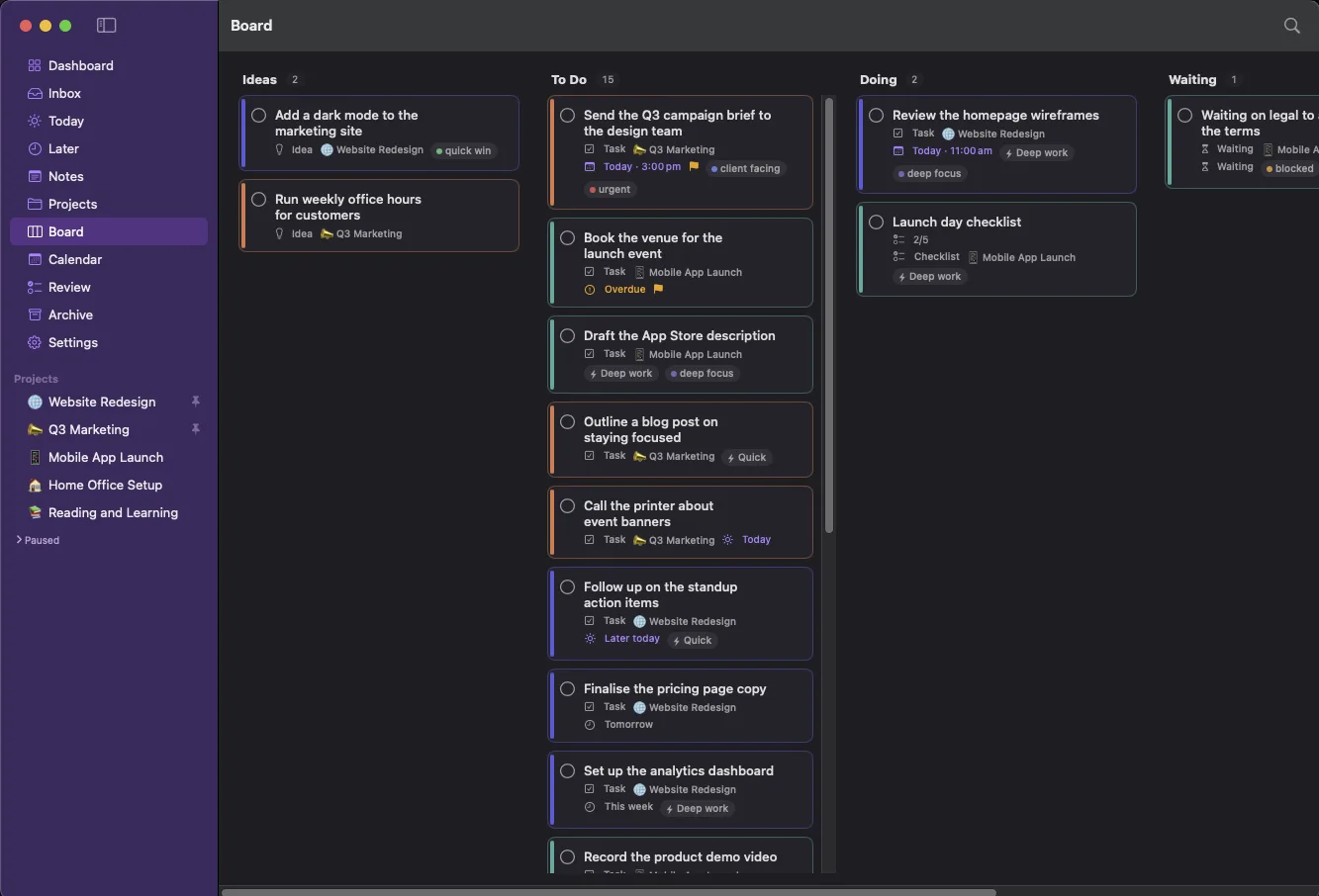
When you think in stages rather than dates, boards give you a clear visual flow. Move work across columns on one global board or inside a single project, with ordering that stays exactly where you put it.
Global and per project
See everything in one place, or focus on a single project's board.
Five clear columns
Ideas, To Do, Doing, Waiting and Done, always present as drop targets.
Stable ordering
Reorder within a column and it stays exactly where you left it.
✓ One global board plus a board inside every project✓ Drag between columns and reorder within a column✓ Completed work shows for the day, then tidies itself away
Part of one connected loop
See status on a board is one step in how LaterLoom works: capture, triage, organise, resurface, review. Explore how the rest fits together.
Bring order to a busy mind
Move cards across Ideas, To Do, Doing, Waiting and Done on a global board or inside a single project, with stable ordering.
Download on the Mac App Store