Calendar
Know what is due
An internal month view of every deadline.
This month
1
2
3
4
5
6
7
8
9
10
11
12
13
14
15
16
17
18
19
20
21
22
23
24
25
26
27
28
How calendar works
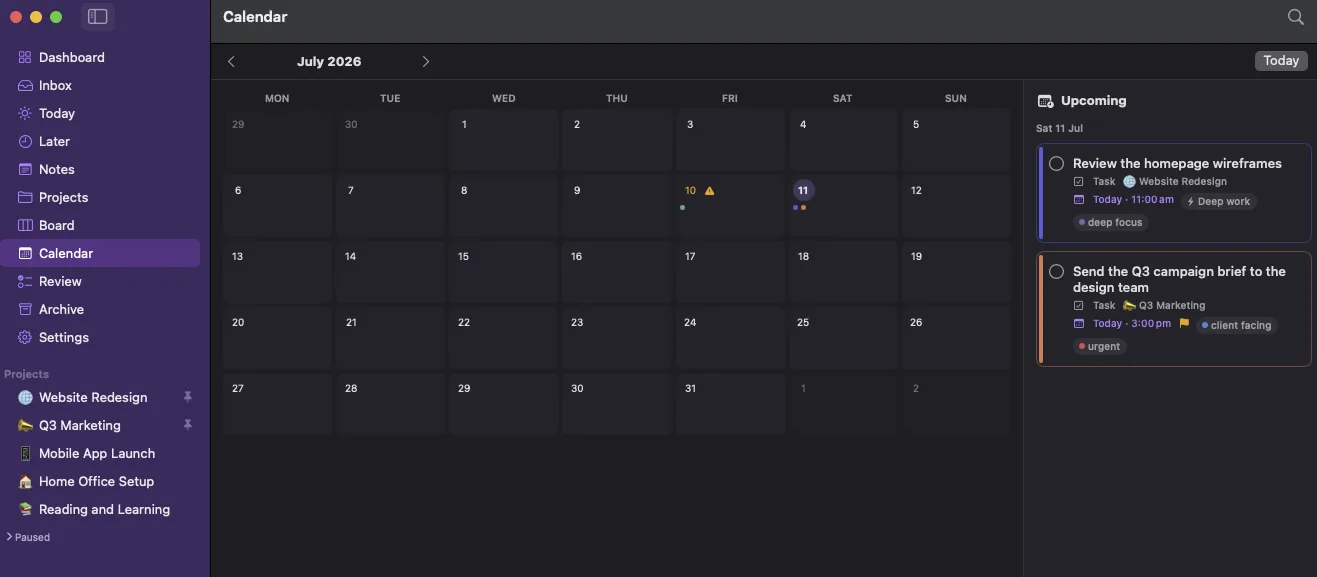
The calendar is a quiet internal view of your deadlines. It lays every due-dated card across the month, flags the days that have slipped, and lets you drag a card onto a day to schedule it.
Month at a glance
Every due-dated card, placed on its day with a project colour.
Overdue, flagged
Past days with unfinished work are marked, not just tinted.
Drag to schedule
Move a card onto a day to set or change its due date.
✓ Month grid of every due-dated card✓ Overdue days are flagged, not just coloured✓ An upcoming list for the days ahead
Part of one connected loop
Know what is due is one step in how LaterLoom works: capture, triage, organise, resurface, review. Explore how the rest fits together.
Bring order to a busy mind
See due-dated cards laid out across the month, with overdue days clearly flagged, and drag a card onto a day to set its date.
Download on the Mac App Store